 Aadee
IT automation and scripting for Windows fleets.
Turn the jobs you repeat every week into scripts that run themselves — on one computer or hundreds, right now, on a schedule, or the moment an alert fires.
What is IT automation in an RMM?
Most IT work is repetitive: clearing disks, restarting services, installing the same tools, checking the same settings. IT automation means writing that work down once as a script and letting the RMM run it wherever and whenever it is needed.
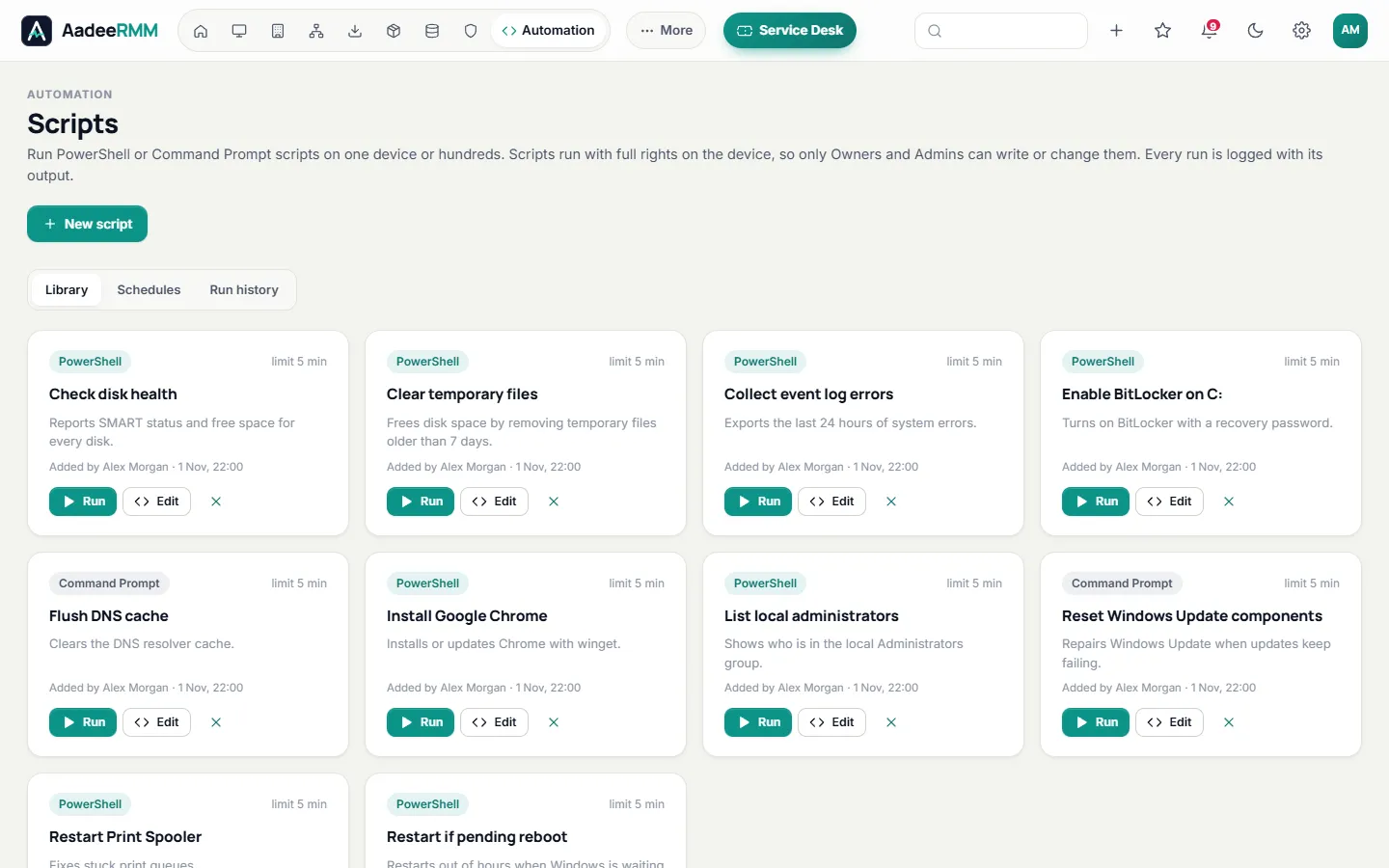
In AadeeRMM, scripts live in a shared library. Run one on a single computer while you are on the phone, schedule it across a customer every night, or attach it to an alert rule so it runs by itself the moment a problem appears.
Read our guide: What is RMM software? A plain-English guide.
Write it once. Run it everywhere.
Scripts and automation are part of the Professional plan.
A shared script library
Keep your PowerShell and CMD scripts in one place, ready for every technician to use.
Run on one or hundreds
Run a script on a single device, several devices or a whole customer, and watch the results come in.
Schedules
Run scripts automatically at the times you choose — nightly clean-ups, weekly checks, monthly reports.
Automatic fixes
Attach a script to an alert rule and it runs the moment the alert opens, before anyone has to look.
Self-healing with AI
For problems that keep coming back, an AI assistant running on our own servers suggests the likely cause and a fix.
Results and audit
Every run keeps its output with the run history, and every action is in the audit log.
Automation that reaches beyond the console.
Store your own data on devices and customers, and let your other systems talk to AadeeRMM.
See pricingCustom fieldsKeep your own information on devices and customers, and fill it in from scripts or other systems.
REST APIRead devices, alerts and tickets, create tickets, update custom fields and run library scripts from your own tools, with scoped API keys.
WebhooksSend alerts to any system that accepts webhooks, alongside email, Teams and Slack.
Runs with full rightsScripts run through the agent with system rights, so they can change what a normal user cannot.
Automation in three steps.
Add a script
Paste a PowerShell or CMD script into the library, or start from one of your existing scripts.
Run or schedule it
Run it on the devices you choose, or give it a schedule.
Let alerts trigger it
Attach it to an alert rule so it fixes the problem by itself next time.
IT automation: questions, answered.
Which scripting languages can I use?
PowerShell and CMD (batch) on Windows computers and servers; bash and sh on Linux.
Do scripts run with administrator rights?
Yes. Scripts run through the AadeeRMM agent with system rights (as root on Linux), and every run is recorded in the audit log.
Can a script run when an alert fires?
Yes. Attach a script from your library to an alert rule and it runs as soon as the alert opens.
Can other systems run scripts in AadeeRMM?
Yes. With a scoped API key, the REST API can list library scripts, run them on devices and read the results.
Which plan includes automation?
Scripts, schedules and automatic fixes are part of the Professional plan. See pricing.
One console for the whole job.
Automate your first job today.
Try every feature free for 14 days on up to 25 devices. No card, no commitment.
Questions first? Talk to us