 Aadee
Windows patch management software, on autopilot.
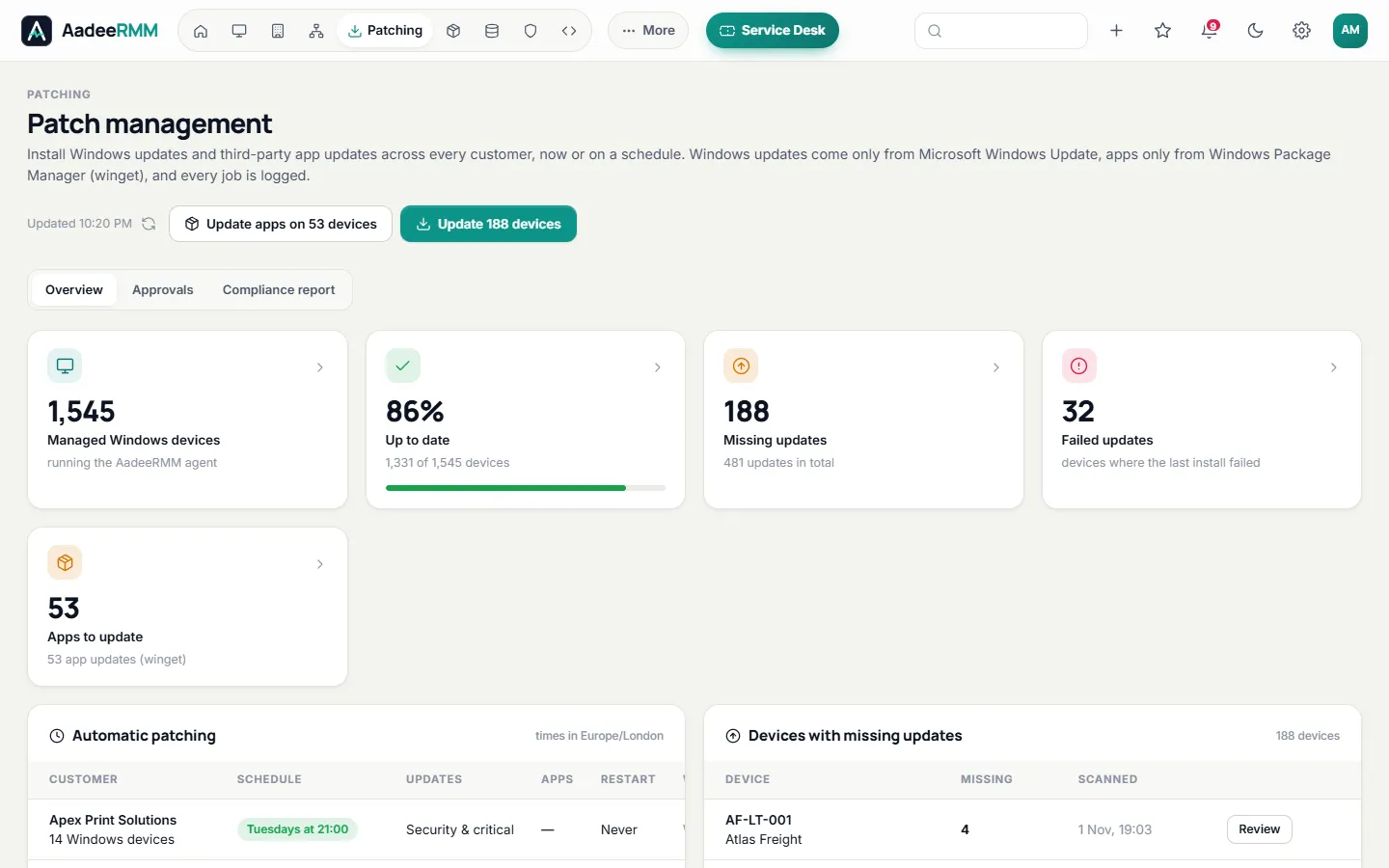
Keep every Windows computer and server up to date without the late nights. Scan, approve and install updates per device, in bulk or on a schedule for each customer — and prove it with compliance reports.
Why automate Windows patching?
Unpatched software is one of the most common ways attackers get in, and Windows releases security updates every month. Patch management means finding the updates each computer is missing, deciding which to install, installing them at a time that suits the people using the computer, and checking that it worked.
Doing that by hand across dozens of customers does not scale. AadeeRMM does the scanning, scheduling, installing and reporting for you, so every customer stays up to date and you can show it.
Read our guide: How to automate Windows patching for multiple clients.
Updates handled, start to finish.
Windows updates and the applications your users rely on, on your schedule, with a record of every result.
Scan and install Windows updates
See the missing security, critical and other updates on every device, and install them on one computer or hundreds at once.
Schedules per customer
Give each customer a weekly patch window that fits its working hours, and let updates install themselves.
Approvals
Approve updates before they roll out, or hold one back while you check it does not cause trouble.
Third-party applications
Keep common applications up to date with winget, and deploy your own software packages to the computers that need them.
Friendly restarts
Users get a clear warning before a restart, so they can save their work first.
Compliance reports
Patch compliance per customer, missing updates and failed installs, as PDF or CSV — ready for your customer or an auditor.
Know where you are exposed.
Patching is part of a bigger picture. AadeeRMM shows which computers are at risk and why, so you can deal with the most important ones first.
See pricingKnown vulnerabilitiesInstalled software is checked against the public vulnerability lists of NIST and CISA, so you see which computers run software with known flaws.
Windows Update settingsControl how Windows Update behaves on managed computers, so updates come from your schedule and not at random.
Security scoreA score per customer that brings patching, antivirus and encryption together, and shows what would raise it.
Pending restart alertsAn alert tells you when Windows is waiting for a restart to finish installing updates, so nothing stays half-installed.
Patching in three steps.
Install the agent
Run the signed installer or deploy it with Group Policy. Each computer reports its missing updates straight away.
Set the rules
Choose a patch window per customer and decide which updates are approved automatically.
Relax and report
Updates install on schedule with restart warnings, and the compliance report shows the result.
Windows patch management: questions, answered.
Can AadeeRMM patch third-party applications?
Yes. Common applications are kept up to date with winget, the Windows package manager, and you can deploy your own installers as software packages.
Can I choose when updates install?
Yes. Each customer has its own patch schedule, and you can also install updates on one device or a group of devices whenever you like.
Do users get a warning before a restart?
Yes. Users see a clear warning before a restart so they can save their work.
Which plan includes patch management?
Every plan. Windows patching and schedules are part of Essentials and Professional. See pricing.
Can I prove patch compliance to a customer or auditor?
Yes. The patch compliance report shows, per customer, which devices are up to date, which updates are missing and which installs failed, as PDF or CSV.
One console for the whole job.
Patch every computer this week.
Try every feature free for 14 days on up to 25 devices. No card, no commitment.
Questions first? Talk to us